
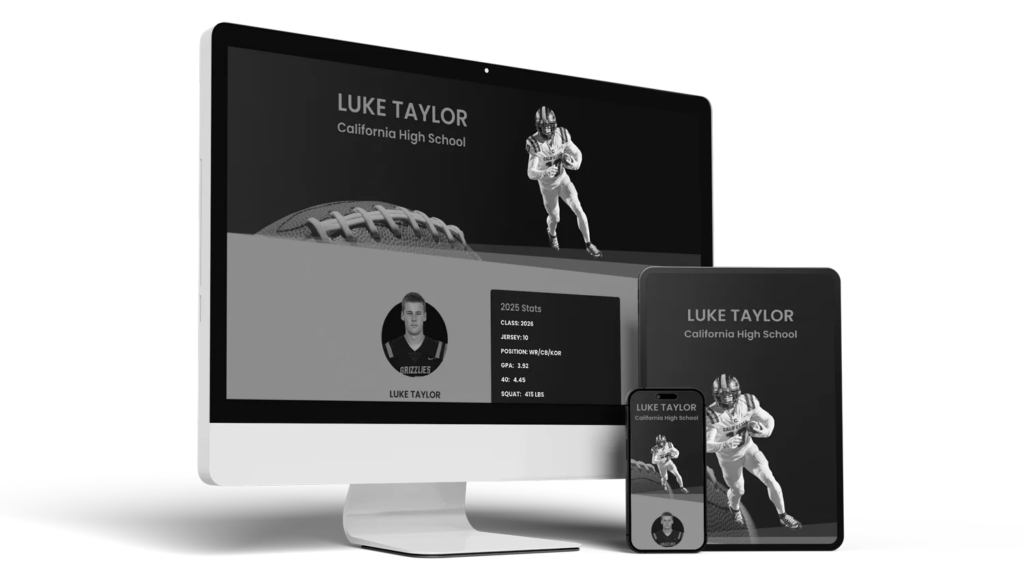
In the college recruiting world, a strong highlight reel for student athletes is your child’s handshake — it’s the first (and sometimes only) impression a coach gets before deciding whether to follow up.
The good news? You don’t need to hire a production company or spend hundreds on editing. You just need a clear, focused video that showcases your athlete’s talent — and a few free tools to make it look professional.
What College Coaches Actually Want to See
Most college coaches watch the first 60–90 seconds before deciding if they’ll keep watching.
That means your video should immediately communicate three things:
- Who the athlete is — name, position, graduation year, school, and height/weight.
- What they do best — start with standout plays, not chronological clips.
How they play — show speed, awareness, and effort, not just highlight moments.
The Perfect Video Format
| Section | Details |
| Intro Card (5 seconds) | Name, grad year, height/weight, position, school, contact info |
| Top Plays (60–90 seconds) | Best moments first — game situations, not practice clips |
| Skill Variety (60–90 seconds) | Show range: defense, teamwork, communication, hustle |
| Consistency (30 seconds) | Include plays showing effort, positioning, and game IQ |
| Closing Card (5 seconds) | Contact info + link to your TeamSportsSites.com profile |
⏱ Total Length: 2–4 minutes — short enough to keep a coach’s attention but long enough to show skill depth.
Free & Easy Video Editing Tools for Athletes
- CapCut (Desktop or Web)
- Free, intuitive drag-and-drop interface
- Great for trimming clips and adding labels or slow motion
- Exports in HD quality — perfect for uploading to YouTube or TeamSportsSites
- Free, intuitive drag-and-drop interface
- DaVinci Resolve
- Professional-grade editor used by filmmakers
- 100% free, with advanced color correction and transitions
- Ideal for families comfortable with editing basics
- Professional-grade editor used by filmmakers
- iMovie (Mac) or Windows Video Editor (PC)
- Built into most laptops
- Simple trimming, labeling, and fade features
- Great for first-time editors
- Built into most laptops
Mobile-Friendly Apps
- InShot (iOS/Android)
- Easy to cut, crop, and merge clips right from your phone
- Add text, music (optional), and transitions
- Free with a small watermark (removable for a few dollars)
- Easy to cut, crop, and merge clips right from your phone
- Canva Video Editor
- Perfect for adding titles, arrows, and clean branding
- Syncs easily with highlight photos and athlete info cards
- Great for social sharing and short recruiting clips
- Perfect for adding titles, arrows, and clean branding
- VLLO (iOS/Android)
- Free, ad-free version available
- Includes clip labeling, zoom, and motion control
- Free, ad-free version available
Very easy to use — popular with parents making videos on the go
Online Editing Platforms
- Clipchamp (Free Microsoft tool)
- Web-based, fast exporting, simple to use
- Ideal for athletes who record through Hudl or upload from Google Drive
- Web-based, fast exporting, simple to use
- WeVideo
- Cloud-based, with collaboration features
- Great for editing as a family or sharing drafts with coaches for feedback
- Cloud-based, with collaboration features
Filming Tips for Better Footage
Even the best editor can’t fix bad footage. Make sure you:
- Use a tripod or stable surface (no shaky hands).
- Record in landscape mode (horizontal) for widescreen.
- Capture at least one wide-angle view (full field or court).
- Highlight your athlete before each play (circle, arrow, or name tag).
- Make sure the jersey number and team colors are clearly visible.
If your athlete’s games are streamed or recorded by the team, ask for access to raw footage — this can save time and money.
Common Mistakes That Turn Coaches OffFinal Thought
- Long intros with slow-motion or music montages
- Over-editing (filters, sound effects, flashy transitions)
- Including celebrations, bench clips, or personal moments
- Videos longer than 5 minutes
Keep it simple, focused, and professional. Coaches care about skill and game IQ, not production value.
Where to Host Your Video
After editing, upload your final video to:
- YouTube (Unlisted) – easiest for coaches to view and share
- Vimeo – cleaner interface, password-protection option
TeamSportsSites.com – embed directly into your athlete’s recruiting profile so coaches can watch instantly
Final Tip
A great highlight reel isn’t about fancy editing — it’s about clear storytelling. It shows coaches who your athlete is, how they play, and why they belong on their roster.
When paired with an organized online recruiting profile, your athlete becomes more than a name — they become a complete recruit.
Upload your highlight reel to your TeamSportsSites.com profile today!
It takes 5 minutes and will be live in less than 2 weeks — ready to share with college coaches across the country.